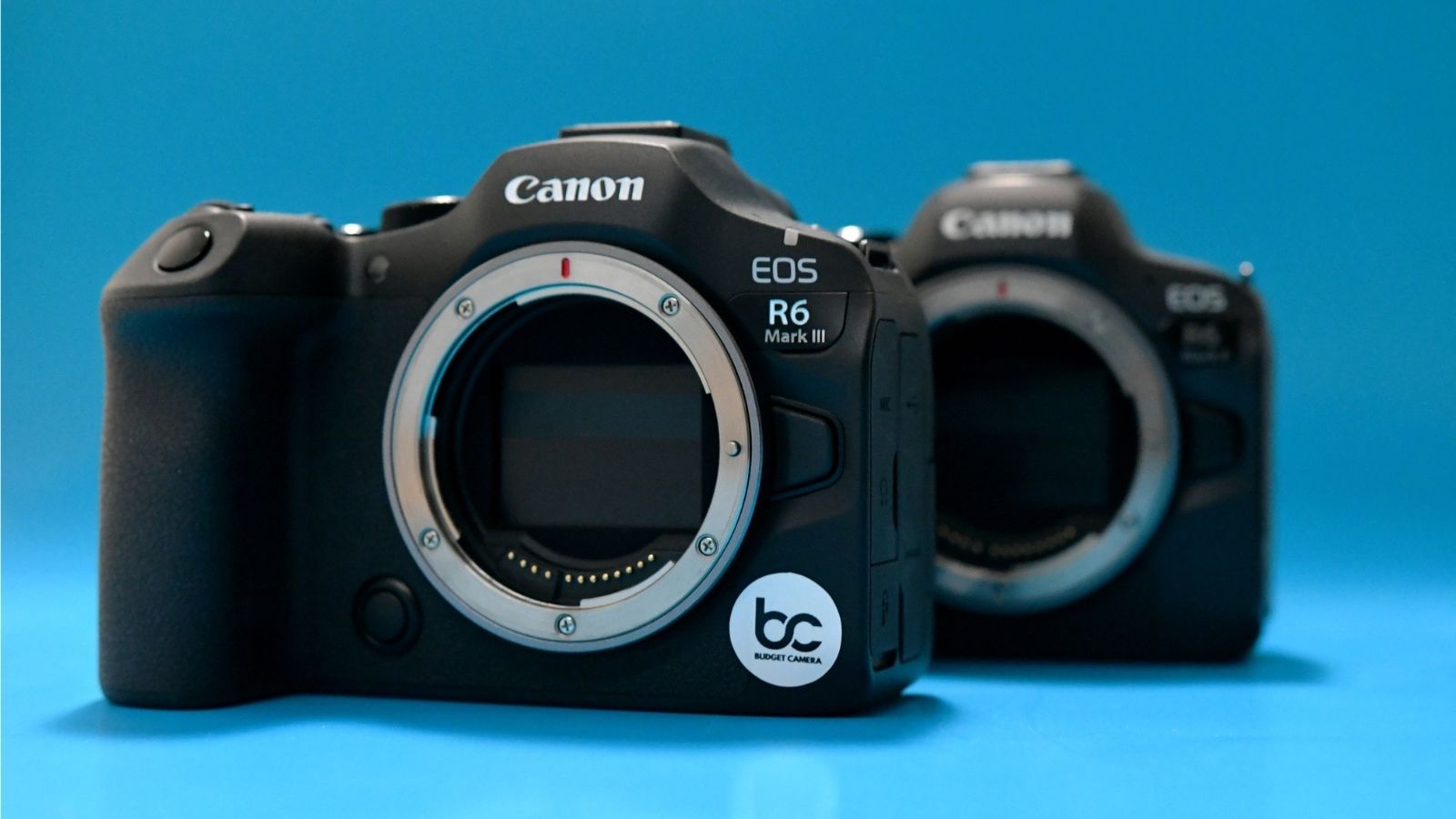
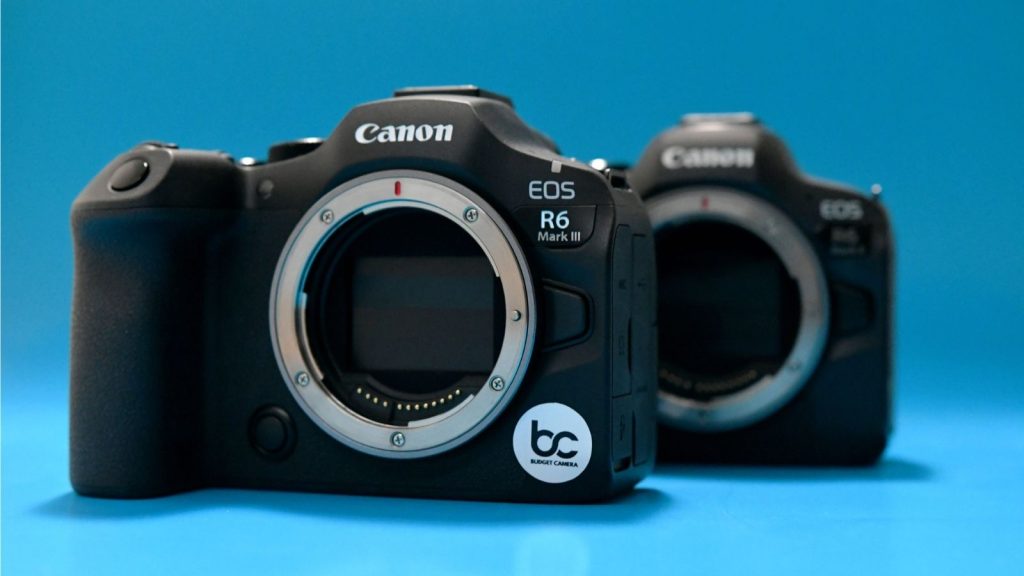
Should you upgrade from the Canon R6 Mark II to the Mark III? The answer depends on one thing: what you shoot.
So you’ve been a Canon R6 Mark II user since its debut back in 2022. That camera holds some of your favourite memories and your sharpest photos. You heard about the release of the Mark III, and now you’re thinking ‘is it worth the leap?’ I know, because I was thinking that too. The Mark II was already so good, I couldn’t picture how any improvements would make much of a noticeable difference besides the price tag, but after some research and tests of my own, I am here to report back to you with the results, and they’re impressive to say the least.
For some context, I am a filmmaker, so what I want out of a camera may be different than a photographer or a hybrid artist. Both the Mark II and the Mark III are marketed as hybrid cameras, and have the capability to shoot both, but overall I’ve found that the Mark III is much better suited for videography, whereas the Mark II is suitable for photography. In this article, I will go on to explain why.
The first noticeable difference between the Canon R6II to the Canon R6III was the new open gate sensor. The Mark II uses a traditional 24.2-megapixel sensor that limits video recording to 16:9 formats, rather than the full 3:2 height of the sensor. That means that you’re not getting the full picture in your video, instead it will automatically be cropped to be a standard screen’s aspect ratio. With the Mark III, you’re able to shoot with the full sensor in 7K, giving you more space to play with when shooting.
Why is that so monumental? For content creators, it gives you more flexibility for reframing in post. If you’re making social media content, for example, you could use the same footage for both verticals and horizontal videos without degrading the footage while cropping. It also allows you to punch-in in post without losing any quality. This will save you the annoyance of poor quality reels, and the inconvenience of shooting the whole video twice.
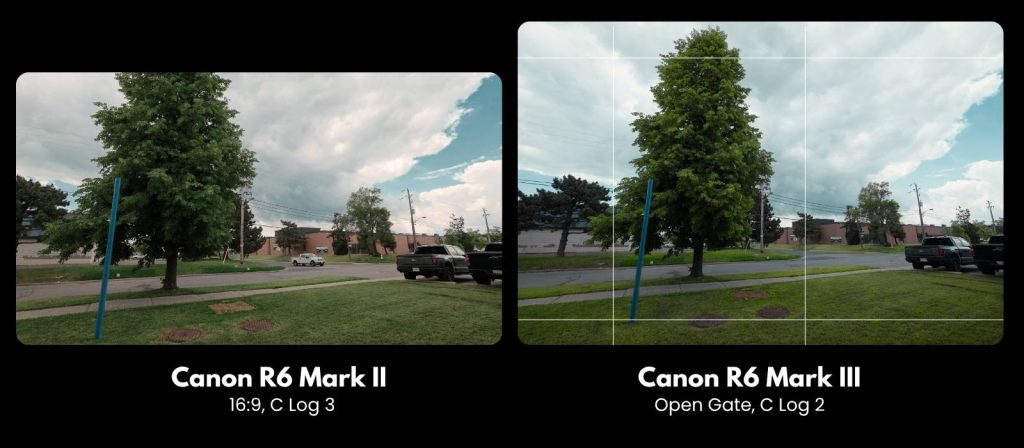
Both the Canon R6 Mark II and the Canon R6 Mark III feature autofocus and autostabilization. The autostabilization is quite similar on both cameras, with slight improvements in the Mark III. The autofocus however was noticeably better with the Mark III. This is great for shooting moving subjects, especially in run n’ gun shoots or one-man projects where you don’t have access to a focus puller.
Wedding videographers, documentarians, vloggers, and anyone else shooting video on the go would definitely appreciate this feature in the Mark III over the Mark II.
One reason filmmakers such as myself have been excited about the Mark III is that Canon has borrowed several features from its Cinema EOS lineup.
The first major addition is C Log 2. While the R6 Mark II records in C Log 3, the Mark III introduces the more flexible C Log 2 profile, offering over 16 stops of dynamic range. This preserves more highlight and shadow detail and provides significantly greater control during colour grading. The tradeoff is that C Log 2 footage requires more work in post-production. Experienced colourists will appreciate the added flexibility, while beginners may find C Log 3 easier to manage.
The Mark III also adds XF-AVC S recording. In practical terms, this means footage can be exported in highly efficient MP4 formats that are much more efficient in post production. For creators working on tight deadlines, that translates to less transcoding, fewer proxies, and faster turnaround times.
Although many of the Mark III’s biggest upgrades target filmmakers, photographers aren’t left out.
The Mark III introduces a new feature called ‘precapture mode.’ This feature captures about 20 frames before you press the shutter, allowing you to select the still you like the most while shooting photography. This feature is great for precise, unpredictable moments, such as a bird in flight or a soccer ball being kicked for all of you Fifa photographers. It’s also great for candid moments, like the moment a baby finally smiles for the group photo at a wedding, or the perfect shot of a singer in action during a concert.
The Mark II features a similar option, but it is much harder to access, and is less reliable or intuitive as precapture mode on the Mark III. Overall, I’d say that if you’re shooting candid, wildlife, or sports photography, the Mark III is the camera for you.
The Mark II and the Mark III have nearly identical bodies, so if you like the look and feel of one, you like the look and feel of both. Though they appear the same, there are some major improvements in the physical capabilities of the Mark III.
Firstly, the Mark III introduces the new LP-E6P battery, replacing the LP-E6NH used in the R6 Mark II. This is a much more powerful battery, equipped to handle the high-res video and advanced features of the Mark III. This also means that if you are not shooting in 7K open gate or 4K 120p (slow-motion), the battery life will last you significantly longer with the Mark III. The Mark III is also compatible with the battery from the Mark II, however it would limit some of the more intense functions of the camera.
Canon has also upgraded the connectivity and storage options. The Mark III now features a full-size HDMI port instead of a mini-HDMI connection, creating a more secure setup for external monitors and recorders. It also adds support for CFexpress Type B cards, allowing for faster recording speeds and quicker file transfers. These are all significant improvements, but if you only have SD cards or attachments that utilize mini-HDMIs, the Mark II could be the easier option for you.
After spending time with both cameras, the answer becomes fairly straightforward.
Based on all of the videography improvements in the Canon R6 Mark III, such as the open gate sensor, the improved autofocus, the greater colour options, and the improvements to the hardware, the Canon R6 Mark III is the clear choice for anyone shooting videos.
For photographers, the decision is less clear-cut. Unless you’re regularly shooting wildlife, sports, or other fast-moving subjects that benefit from Precapture Mode and the improved autofocus system, the R6 Mark II remains an excellent camera that continues to deliver outstanding results.
Don’t just take my word for it though. If you’d like to test either of these cameras out for yourself, they are both available to rent at Budget Camera. Learn more here: https://www.budgetcamera.ca/product/canon-eos-r6-mark-iii-mirrorless-camera/
Now Shipping Across Ontario
We have partnered with Purolator to ship select equipment rentals to customers within Ontario. This service is designed to offer filmmakers and video creators across the province more convenience, flexibility, and accessibility.
Important Note
Shipping is available for select items only, with a minimum rental period of 2 days. Contact us to learn which gear is eligible and to confirm shipping costs.
All shipping orders must be confirmed at least 3 business days before the rental start date.
How it works
On the checkout page, select ‘Express Shipping’ under order type, and provide your delivery address.
📝 Request a Quote
Navigate through our gear categories. See what you like, and select "Add to List" or click on the image to learn more.
✅ Order Confirmation
A team member will confirm gear availability and guide you through account creation if it's your first time renting—before completing your reservation.
📦 Pickup & Return
Mon – Fri: 9:00 AM – 6:00 PM
Sat: 10:00 AM – 4:00 PM
🚚 Request Delivery
You can request rental delivery within a 100-mile radius of our Toronto location.
👤 First-Time Renters
First-time renters are required to complete a rental agreement form with a valid ID.
🛡️ COI (Certificate of Insurance)
Independent insurance coverage is required for orders with a total replacement value above $15,000 CAD. Learn More
💳 Security Authorization
A small hold will be placed on your credit/debit card. The hold will be canceled upon the return of the rental.
We offer a convenient delivery service for all our rental gear within a 100km radius of our location. Our goal is to ensure you have everything you need on time and in perfect working condition.
Request: You can request delivery at any time during your reservation—in person, via email, or by phone.
Equipment Testing: All gear is thoroughly tested before delivery to ensure it’s fully functional and ready for use.
Inspection Upon Arrival: When the driver arrives, please inspect the equipment and verify the equipment list to ensure everything is in order.
Rental Requirements: To avoid cancellation, please ensure all rental processes and requirements are completed at least 2 hours before the scheduled delivery time. If not completed, the delivery will be canceled, and rental credit will be applied to your account.
Protection & Responsibility: We ensure all equipment is well-protected and safely transported. Once delivered, the client is responsible for any damage or issues that may arise while the equipment is in their possession.